
JAKARTA, teckknow.com – Participatory Design: Co-Creating User-Centered Digital Solutions isn’t just a fancy buzzword in the world of tech—it’s a game-changer. Honestly, I’ve had my fair share of launches where the app or website flopped because, yeah, we forgot to ask users what they really wanted. Painful, but lesson learned!
In today’s fast-paced digital landscape, creating solutions that truly resonate with end users is more critical than ever. Participatory Design emerges as a collaborative methodology where designers, developers, and users work hand-in-hand to shape products from the ground up. By involving stakeholders at every stage, we ensure that digital tools are not only functional but also meaningful and adoptable.
What Is Participatory Design?’
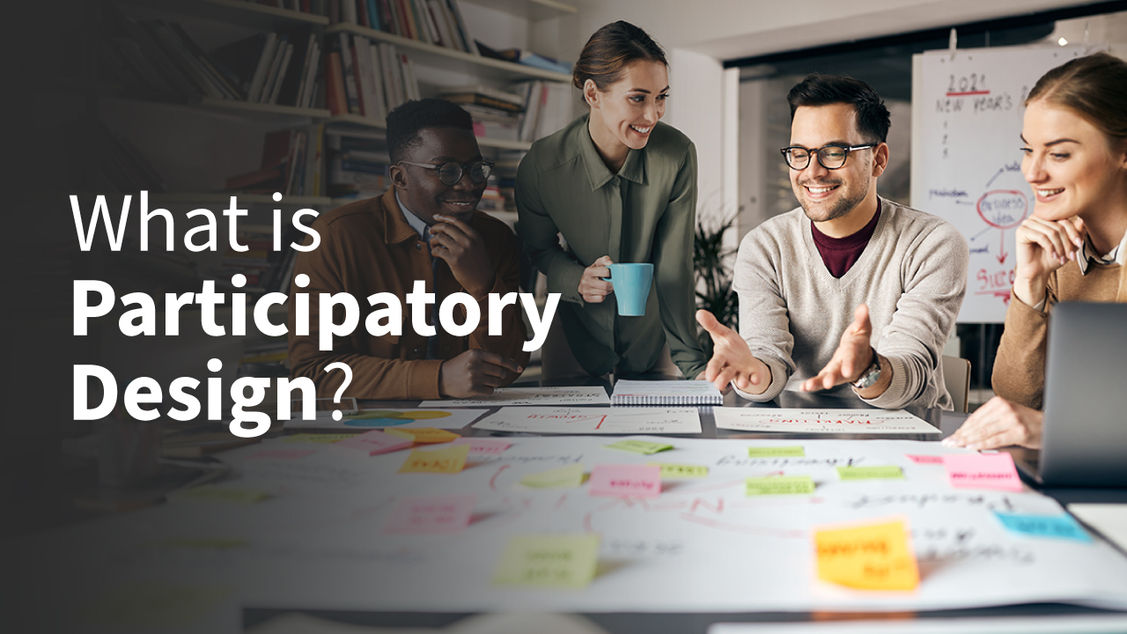

Participatory Design is a user-centered approach that:
- Invites end users and other stakeholders to co-create design solutions.
- Values diverse perspectives, ensuring products address real needs.
- Fosters a sense of ownership, leading to higher adoption and satisfaction.
Originating in the Scandinavian workplace democracy movement of the 1970s, this methodology has since evolved to embrace modern digital contexts—websites, mobile apps, enterprise software, and more.
Core Principles of Participatory Design
- Democratic Collaboration
Everyone—designers, developers, users—has an equal voice and contributes ideas. - Transparency
Sharing research findings, prototypes, and design rationales openly to build trust. - Iterative Feedback
Rapid, cyclical prototyping that incorporates user feedback at each iteration. - Empowerment
Equipping stakeholders with tools and knowledge so they can meaningfully shape outcomes.
The Participatory Design Process
- Stakeholder Mapping
Identify all relevant participants: primary users, secondary users, business owners, technical teams. - Contextual Inquiry
Observe users in their natural environments to uncover workflows, pain points, and unspoken needs. - Co-Design Workshops
– Sketching sessions using paper prototypes or digital whiteboards
– Storyboarding user journeys together
– Role-playing scenarios to simulate interactions - Rapid Prototyping
– Low-fidelity: paper mockups, clickable wireframes
– High-fidelity: interactive UI demos, working code snippets - Usability Testing & Refinement
Collect qualitative and quantitative feedback, then iterate until designs meet user expectations. - Implementation & Launch
Maintain channels for ongoing input—beta testing, feedback forums, in-app surveys.
Tools and Techniques
- Digital Whiteboards: Miro, Figma FigJam for remote co-creation
- Surveys & Card Sorting: Optimal Workshop, Google Forms for quick preference checks
- Prototyping: Figma, Adobe XD, InVision for visual mockups and interactive flows
- Accessibility Audits: WAVE, aXe to ensure designs serve all users
- Analytics Integration: Hotjar, Google Analytics to validate behavior against expectations
Case Studies
1. Community Health App
- Challenge: Low engagement with existing appointment-booking system
- Approach: Held co-design workshops with patients, nurses, and administrators
- Outcome: Redesigned interface reduced booking steps by 50% and increased usage by 80%
2. Internal Enterprise Dashboard
- Challenge: Employees felt overwhelmed by data clutter
- Approach: Conducted contextual inquiries on the factory floor and in office settings
- Outcome: Simplified dashboard with custom widgets, leading to a 30% boost in on-time decision-making
Benefits of Participatory Design
- Greater user satisfaction and loyalty
- Reduced development waste—fewer features that no one uses
- Improved accessibility by incorporating diverse perspectives
- Enhanced team cohesion through shared ownership
- Accelerated time-to-market with clear requirements and fewer revisions
Common Challenges & Mitigation
Challenge: “Too many voices slow down the process.”
Mitigation: Define clear roles, agendas, and decision-making protocols.
Challenge: “Users aren’t designers.”
Mitigation: Use simple, engaging activities (e.g., paper prototyping, storytelling) to lower barriers.
Challenge: “Limited budget or time.”
Mitigation: Focus on critical user journeys first; employ guerrilla testing in short sprints.
Best Practices
- Kick off with a pilot workshop to align expectations.
- Create a living design system that evolves with ongoing feedback.
- Document insights in a central repository for transparency.
- Celebrate co-creation wins by acknowledging participant contributions.
- Plan for post-launch iteration—Participatory Design is a mindset, not a one-off project.
Conclusion
Participatory Design transforms digital product development from a solitary endeavor into a collective journey. By valuing Stakeholder expertise and weaving their insights throughout the design lifecycle, teams build solutions that are not only usable but also beloved. Whether you’re tackling a new mobile app, revamping an internal tool, or architecting an entire platform, integrating Participatory Design principles will help you Co-create digital experiences that actually work.
Boost Your Proficiency: Learn from Our Expertise on Technology
Don’t Miss Our Latest Article on Effective Algorithmic Personalization: Tailoring Digital Experiences and Its Societal Impact!

